
LadioCast
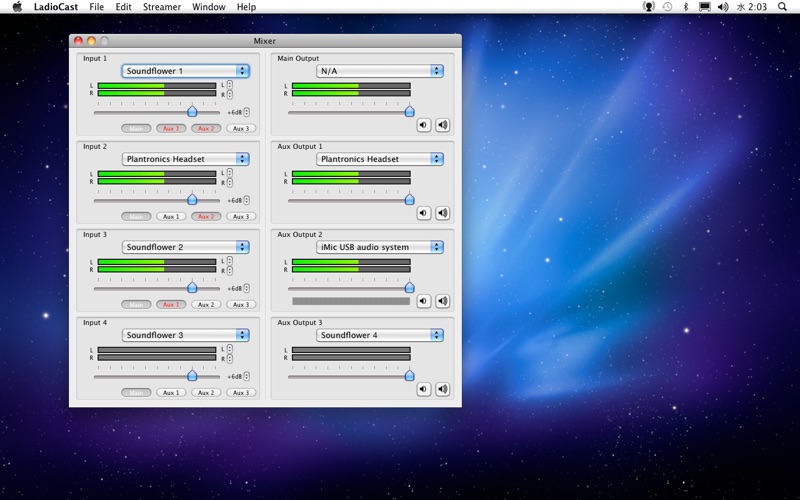
Discover LadioCast for Mac, a highly flexible audio mixer and streaming tool. Read our full review of its features, encoder support, and routing capabilities.
Unlike standard broadcasting tools that lock you into rigid configurations, the LadioCast Mac audio streaming software stands out by offering an exceptionally versatile, built-in routing environment. Designed specifically for macOS, this lightweight utility functions as both an internet radio transmitter and a multi-bus audio mixer. It allows broadcasters to manage complex setups without needing heavy, resource-intensive production suites.
What is LadioCast Mac Audio Streaming?
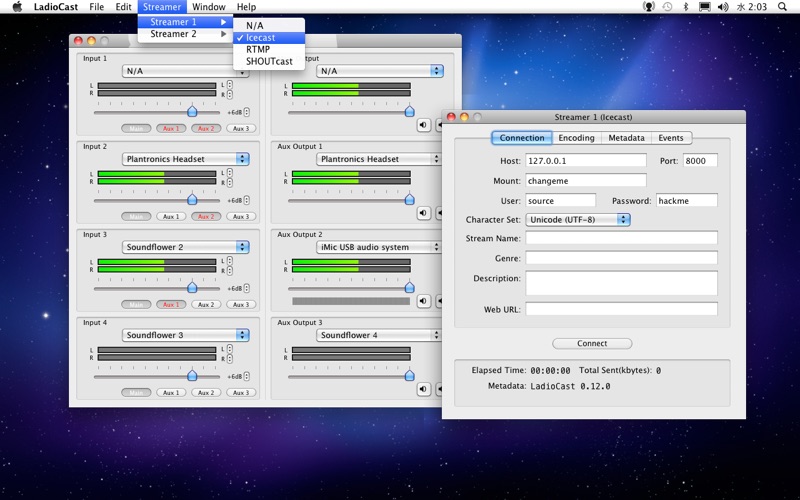
At its core, LadioCast Mac audio streaming is an icecast, RTMP, and SHOUTcast-compatible source client. It is built to capture audio from your Mac's input devices, mix those signals in real time, and broadcast the resulting stream to one or multiple destination servers simultaneously. Whether you are hosting a live talk show, running an online music station, or managing a corporate audio feed, this tool provides the routing flexibility required for professional-grade webcasting.
Key Features and Audio Routing Capabilities
The app's interface is designed around a flexible architecture that accommodates various broadcasting workflows. Key features include:
- Multi-Server Transmission: Broadcast your live audio stream to multiple servers or different platforms at the exact same time.
- Robust Format Support: Encode your audio using industry-standard formats, including Ogg Vorbis, MP3, AAC, HE-AAC, Ogg Opus, and Ogg PCM.
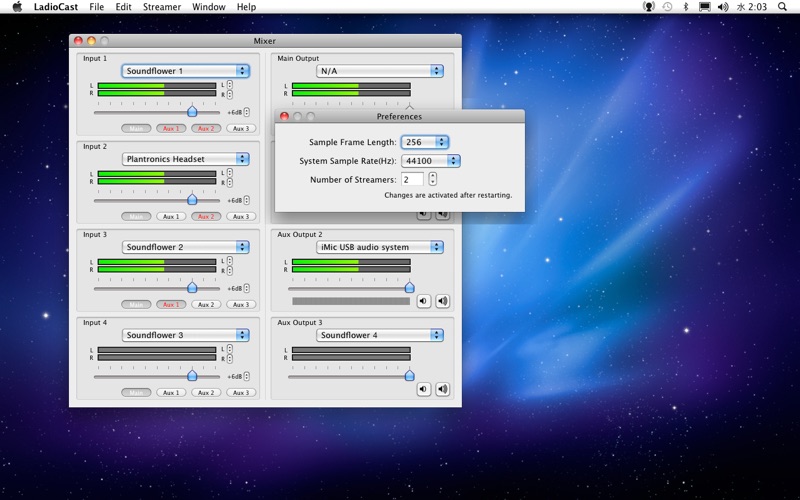
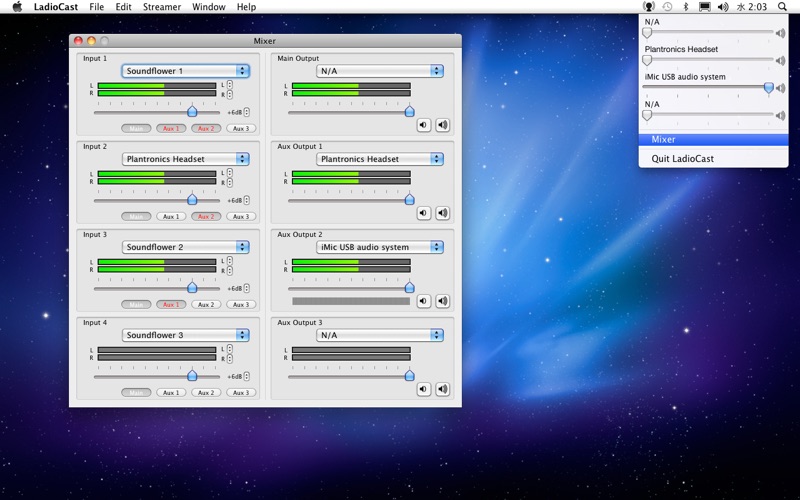
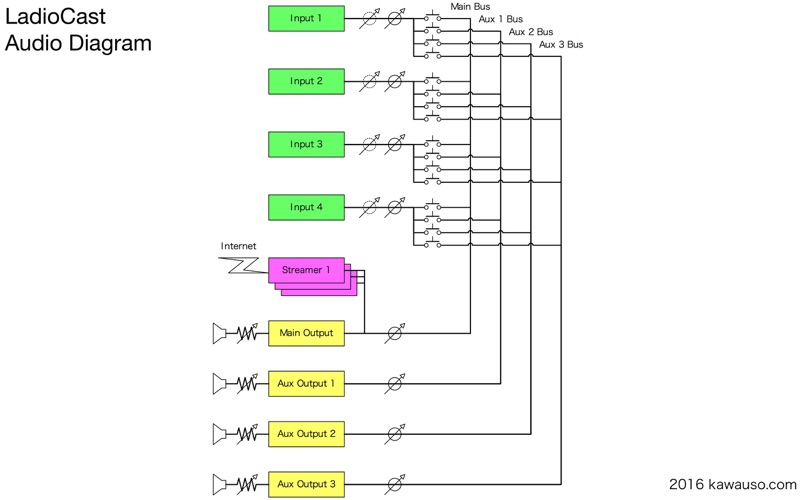
- 4-In/4-Out/4-Bus Audio Mixer: Route your audio signals dynamically. You can direct inputs to specific output buses, making it easy to monitor your broadcast locally while sending a clean feed to your listeners.
- AppleScript Automation: Control connection events and automate streaming workflows using AppleScript.
- Secure Streaming: Full SSL support ensures secure connections to your streaming servers.
Who is This Mac Streaming Tool For?
This software is highly recommended for DIY internet radio hosts, podcasters who broadcast live, and audio engineers who need to manage multiple virtual audio devices on macOS. Its low latency and minimal CPU footprint make it an excellent choice for older Mac hardware as well as modern setups. While the interface is utilitarian, the sheer routing power it offers is unmatched in the free utility category.
Get Started with LadioCast
If you need a reliable, scriptable, and multi-format encoder to power your online station, this application is a top-tier choice for macOS users. To explore its capabilities, view official screenshots, and download the software, head over to the official Mac App Store page to get started.