
DataZilla - FTP Client
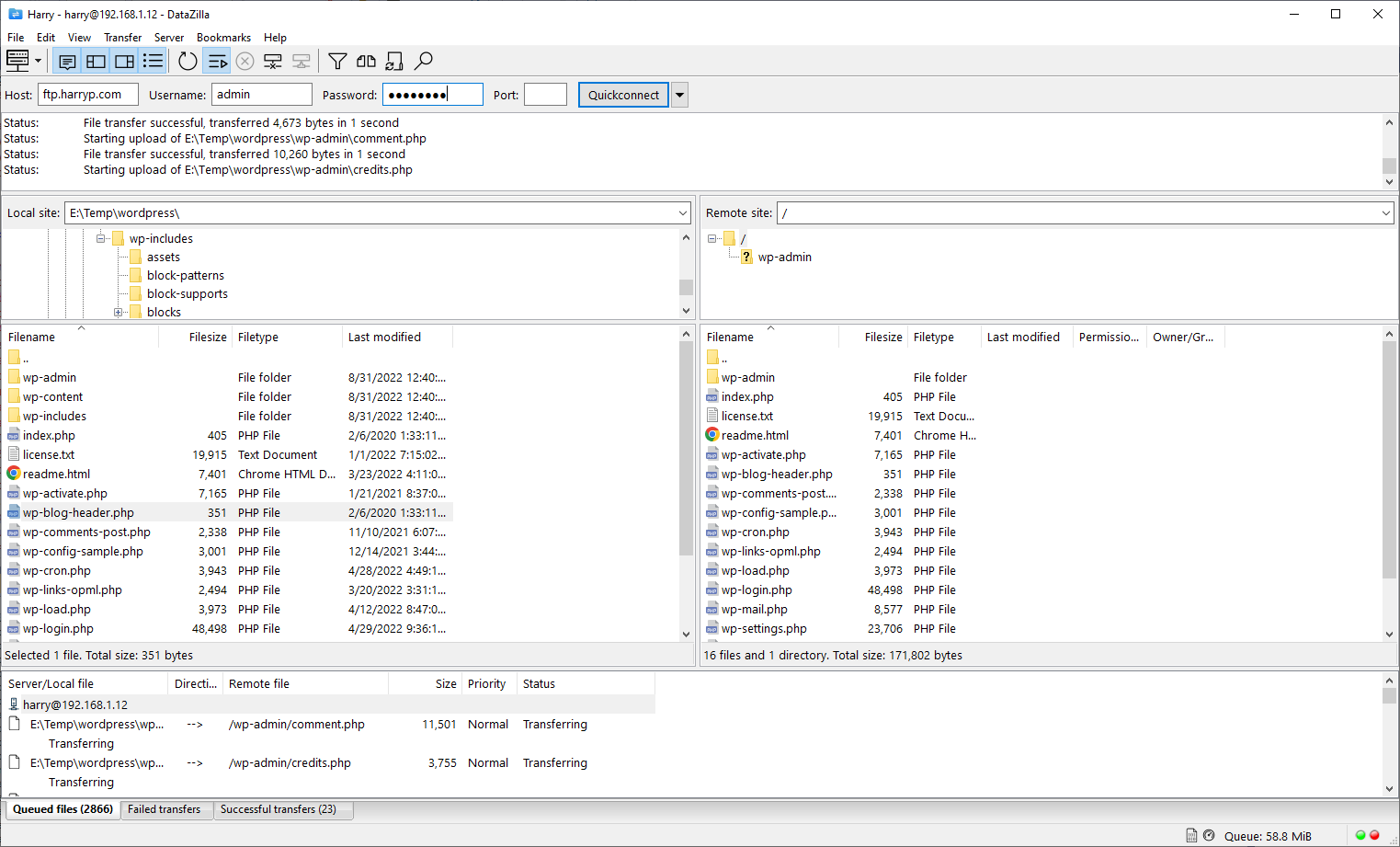
Discover our comprehensive review of DataZilla - FTP Client for Windows. Learn how this secure, multi-threaded file transfer tool optimizes your web workflows.
The Challenge of Reliable Server File Management
Imagine you are in the middle of launching a major website update, only to have your connection drop halfway through a massive asset upload. For web developers and system administrators, reliable file transfers are the backbone of daily operations. The DataZilla - FTP Client is designed specifically to address these high-stakes scenarios on modern Windows environments, offering a robust, feature-rich bridge between your local machine and remote servers.
Developed by CoderLearn, this utility builds upon the solid foundation of FileZilla, optimizing the experience for Windows 10 and 11 users who require speed, security, and multitasking capabilities in their daily deployment routines.
Key Capabilities of the DataZilla - FTP Client
This software does not just move files; it provides a comprehensive suite of management tools to ensure your data arrives safely and efficiently. Here are the standout features that make the DataZilla - FTP Client a powerful addition to your IT toolkit:
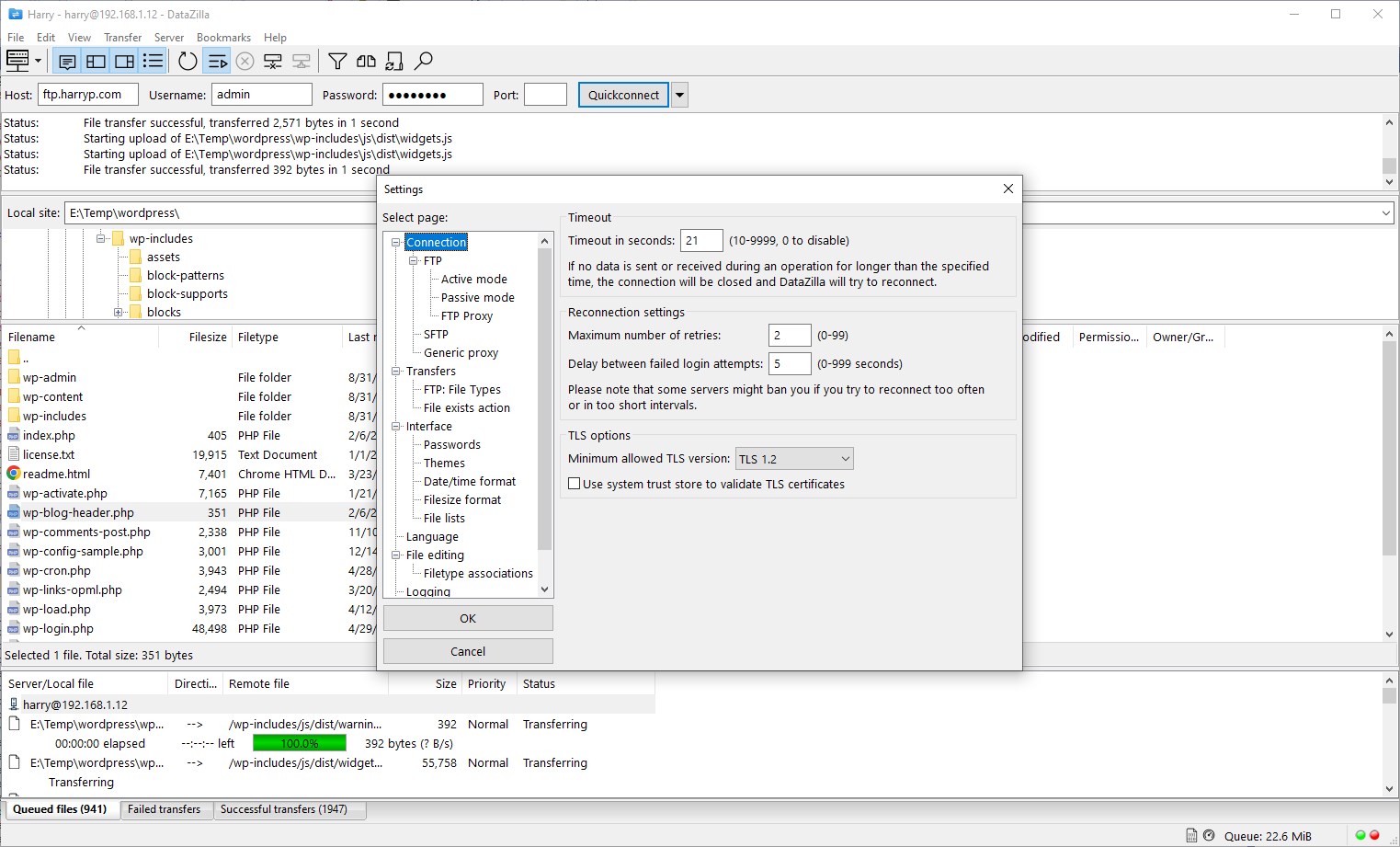
- Secure Protocols & IPv6 Support: Transfer your sensitive data using standard FTP or opt for encrypted channels with FTPS and SFTP. It also fully supports the latest IPv6 internet protocol.
- Robust Resume & Large File Handling: Never lose your progress again. The client supports resuming interrupted transfers, even for massive files exceeding 4GB.
- Tabbed Multitasking Interface: Browse multiple servers simultaneously or manage independent transfers side-by-side using the intuitive tabbed layout.
- Smart Directory Comparison: Instantly compare local and remote directories. Differences in file name or size are highlighted in distinct colors, making synchronization straightforward.
- On-the-Fly Remote Editing: Modify files directly on the server without the tedious process of downloading, editing locally, and re-uploading.
- Bandwidth & Network Control: Configure transfer speed limits to preserve network bandwidth and use the built-in network configuration wizard to resolve complex connection settings.
Who is This File Transfer Tool For?
The DataZilla - FTP Client is tailored for web developers, system administrators, and content managers who handle frequent server deployments. Because it supports 47 languages and features a secure master password lock for saved credentials, it is highly suited for international teams and security-conscious professionals. Please note that this application does not support Windows 10S.
Our Editorial Verdict
If you are looking for a reliable, customized file manager that handles FTP, SFTP, and FTPS seamlessly on Windows 10 or 11, this utility delivers excellent value. Its smart synchronization, directory comparison, and remote editing tools remove the friction from web publishing. To explore its features further or to purchase the application, head over to the official Microsoft Store page to get started.